






News
HeroesHearth Looking For Group Tool ft. Bakery

The second phase of HGC 2017 is about to begin and the eight toughest teams from each of the major regions are making their last preparations before the weekly competition commences.
“New talent is one of the most exciting things for any pro player. It means there are new people to meet and interact with and even better, there are new things that you can learn from them. New talent has always been hard to find in Heroes of the Storm, in the beginning there wasn’t even a ladder! That’s why I’m personally so excited about what Blizzard has brought to the table with the Open Division. It's a fantastic breeding ground for new talent, and is definitely not lacking in more experienced players that can help build that new talent into future stars.”
James ”Bakery” Baker
How to enter the HGC League
You have to be part of a team consisting of five players and sign up for the Open Division. What is the Open Division you might ask?
The Heroes of the Storm Open Division is a controlled environment for the amateur scene. Teams compete against each other in tournaments every other week to earn points and cash prizes, the top 16 teams will then attend the Open Division Playoffs, and at the end of the season the two best teams get a chance to challenge the 7th and 8th place teams from the HGC League to fight for their spots in two epic best-of-seven series.
Do you think you've got what it takes to make it into the HGC? Well, the first and most important thing you need is a team. You can be the best player in the world but without a team, you will not be able to show it.
Team Dignitas' team captain Bakery has, together with HeroesHearth, developed a team-building tool to bring the players together. Let’s have a look at how it works.
Step 1:
Go to www.heroeshearth.com and make an account. Be aware that the verification e-mail can end up in your spam folder.
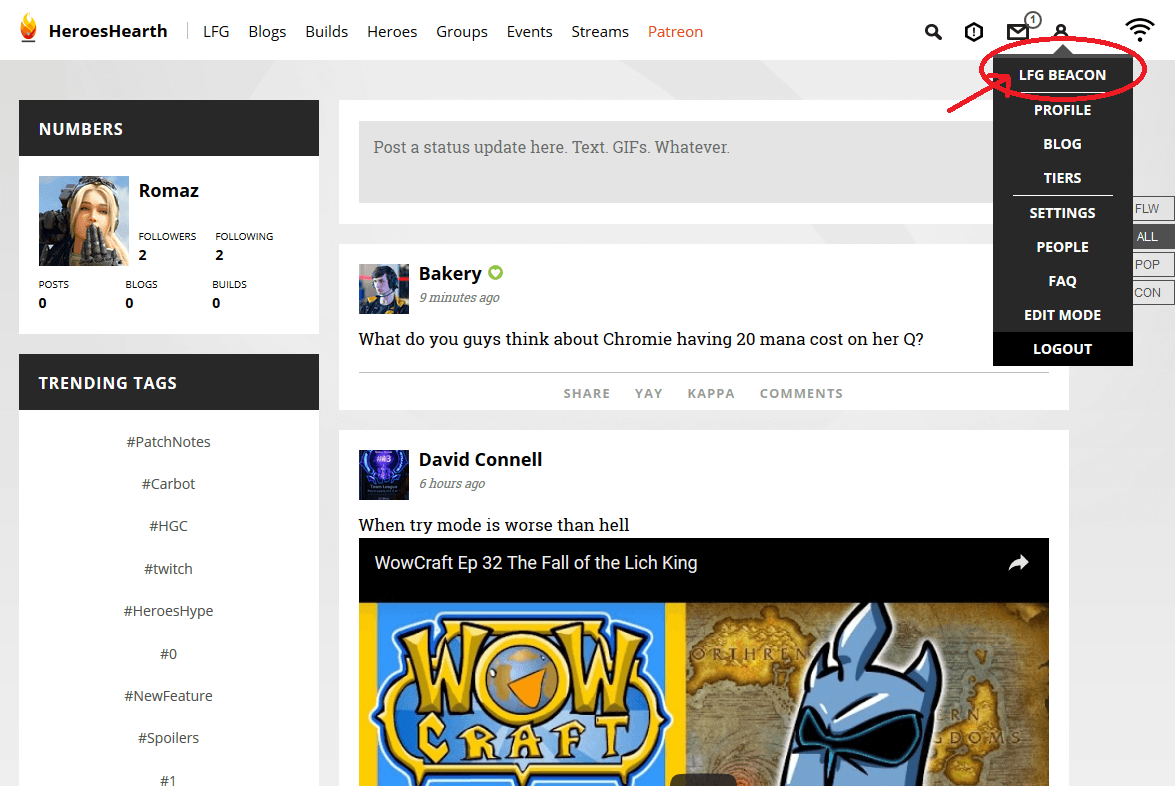
When you have made your account you will see a site like this, go to your profile settings in the top right, and select ”LFG BEACON” to get started.
Step 2:
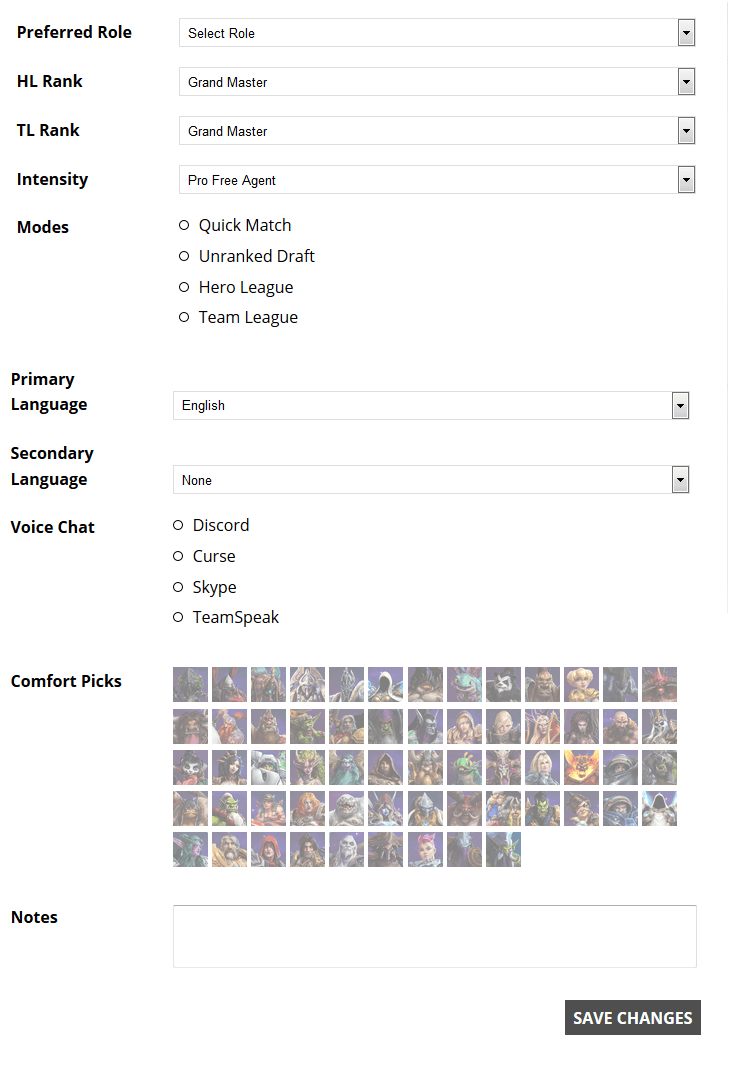
You will then be sent to a site that looks like this to fill out information about yourself. Be honest here as your MMR will be shown on your profile. You will only be able to pick 4 comfort picks, but you can add the names of more heroes below in the notes if you have a deep hero pool. You can also add another secondary language that does not show on the drop-down list.
Step 3:
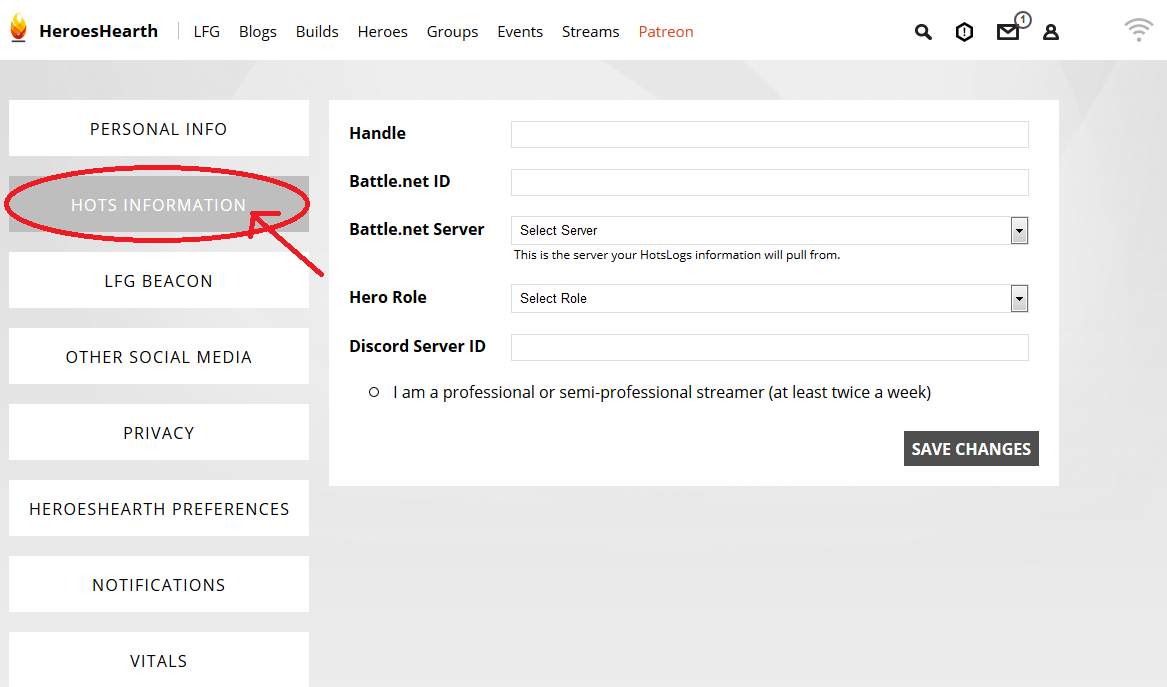
When you have filled out your information you click on ”HOTS INFORMATION” on the menu to the left. Put in your in-game name, your battletag, and select the region you play in. If you are a streamer, you can click the little dot at the bottom and add the link to your Twitch channel. Save your changes and move on to the next step.
Step 4:
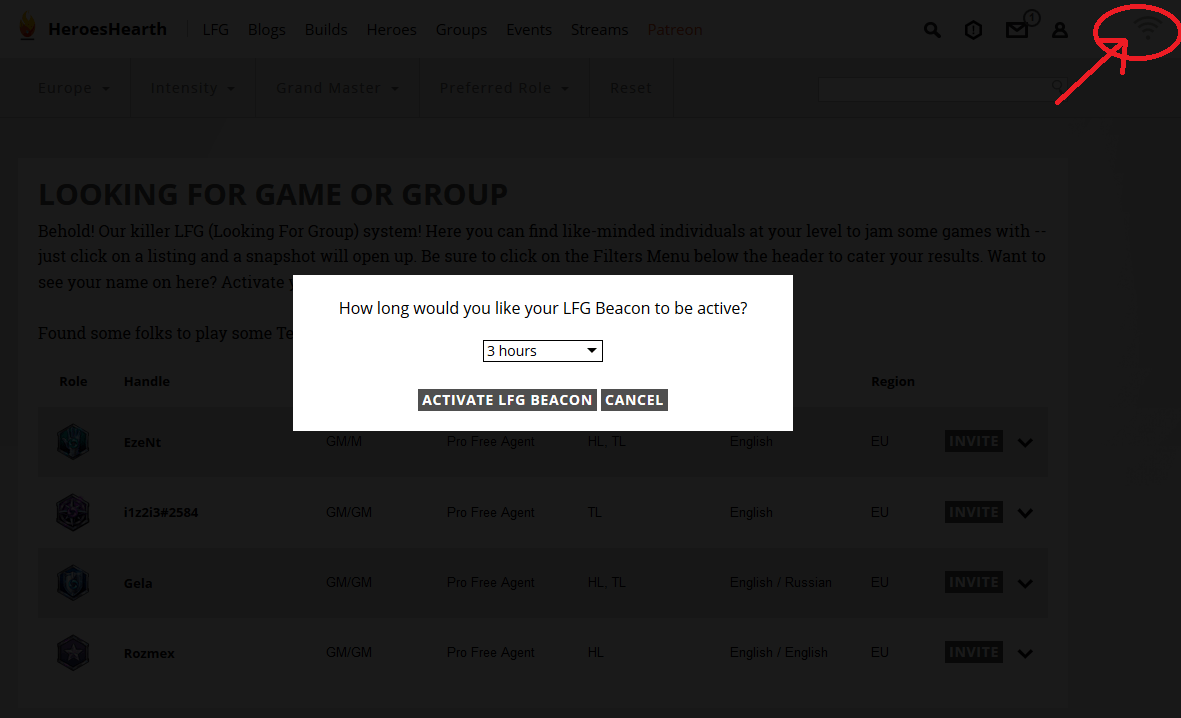
Now that your profile is done, you can put it live for other players to find you. This is done by activating your beacon in the top right corner on your screen. When you click your beacon, the screen below will appear and ask you how long you wish to be visible. HeroesHearth recommends staying visible for as long as possible to have a better chance of finding teammates.
Step 5:
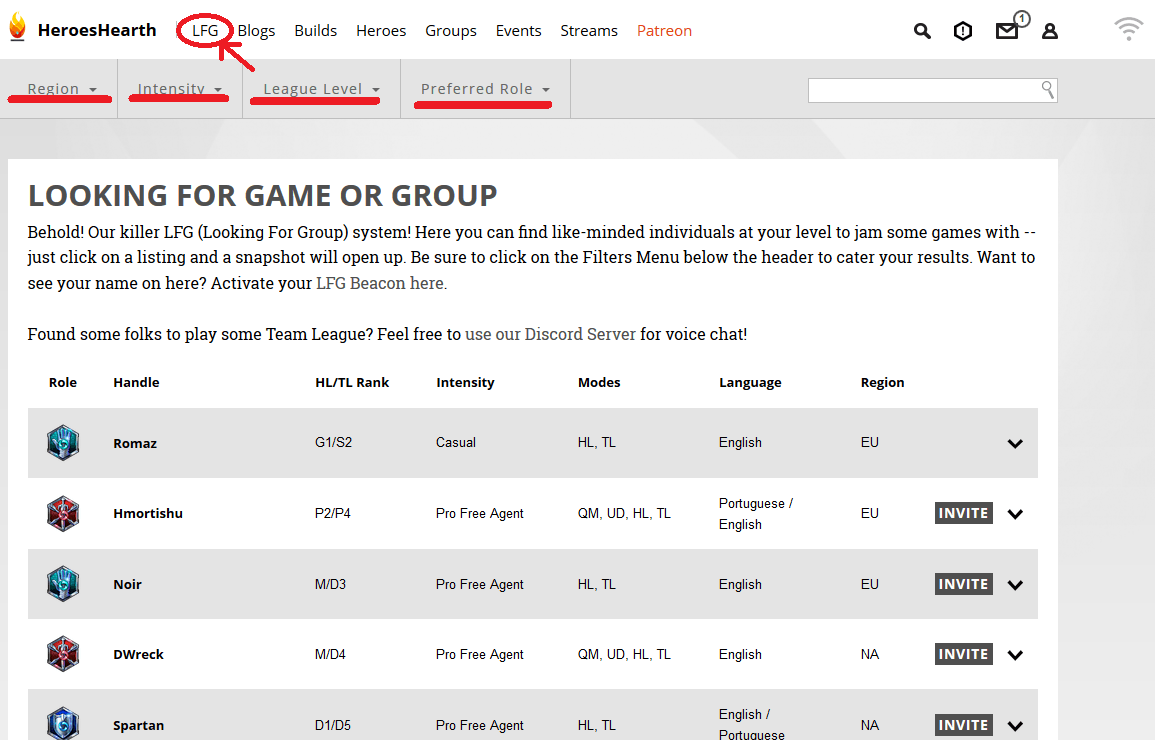
Now that you have listed yourself as a free agent, you can start to look for potential players to make a team with. You do this by clicking the ”LFG” option on the top menu. You can adjust the four drop-down menus below to find players in your region and those who are at the same skill level.
Step 6:
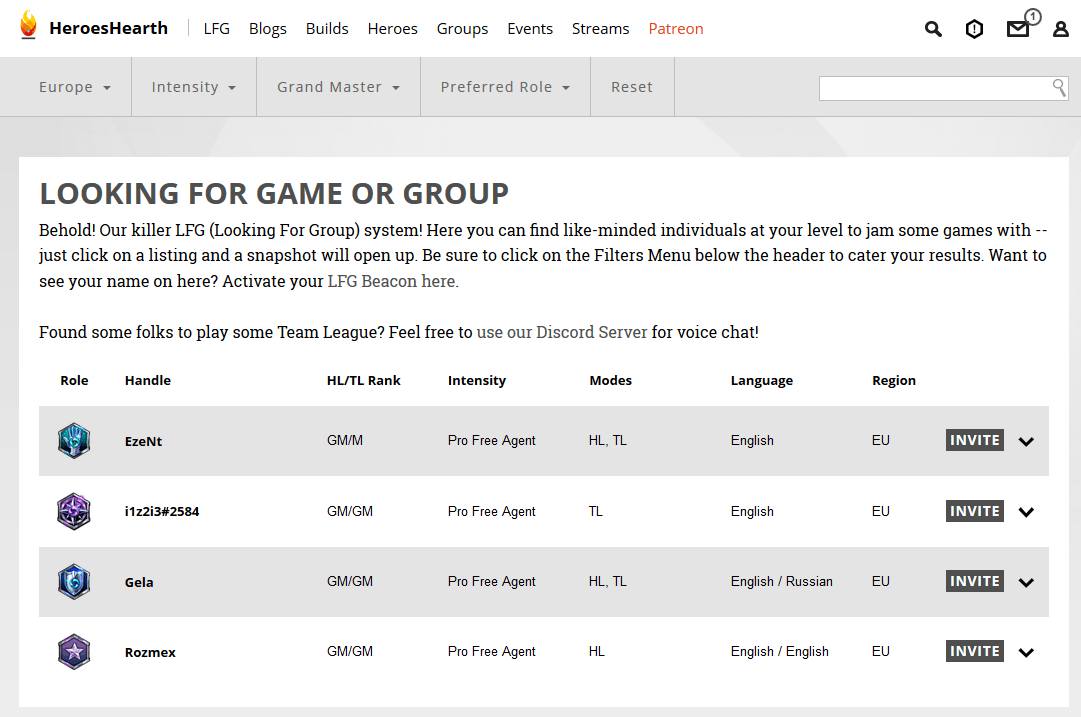
You could, for example, look for Free Agent Grand Master players in EU. For more information on a player, you simply click their name and their MMR and personal notes will be shown.
We hope this tool will help you find the teammates you are looking for and that we will see lots of new talent bloom in the Open Division.