





Blogs
Preparedness and You: Improving in Matchmaking
Sometimes, you might start hitting a hard wall in matchmaking, which either means that you are not prepared enough for your rank or that the enemy team is full of hackers (usually not true). If you want to improve your performance in competitive matchmaking and easily rank up, here is where you should start:
Learn the callouts
While queuing for a map, make sure that you know all the callouts beforehand. In the heat of battle, you will need to use communication to guide your teammates to victory. You won't be of any help to your teammates if you're just screaming and raging on the mic, or if you're not using your mic at all. Make sure that you always give accurate callouts and...
Learn the recoil
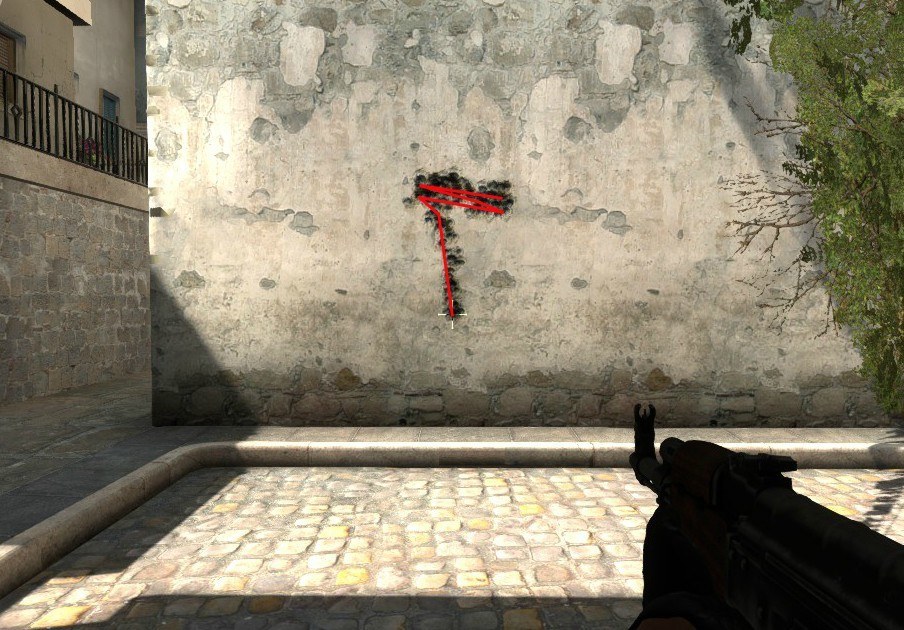
The Ak-47 recoil pattern
You may always choose the AK-47 as your main gun, but do you know how to properly handle it? The guns of Counter-Strike have preset recoil patterns which are quite easy to learn with the proper resources. The first recoil patterns you should learn are the ones for the AK-47, the M4A4 and M4A1, as these are the most common rifles. After that, you should learn the FAMAS and the Galil. If you're convinced about learning recoil patterns, you can also go in-depth and start learning all the SMGs, which are extremely simple and will give you the edge in those low budget rounds. An incredibly helpful site for learning the patterns is this one, and its creators even have an app for iOS and Android.
Warmup
If you find yourself often missing easy shots in the first half of a game, but then coming back in force in the second half, you should definitely make a warmup routine which you should do before each CS:GO play session. Just about every single CS:GO professional player has a complex warmup routine that helps them be prepared mentally for what is to come. In fact, Team Liquid's Hiko, known for his insane clutches and shots, has recently released his warmup routine, which was dubbed the "Hiko Challenge" for the insane amount of kills it requires.
Of course, doing it as a casual player would be a bit overkill, but for demonstration purposes, Hiko's challenge requires you to get a total of 800 kills with 100 of those being USP headshots. KennyS has also said on his stream that he does 150 kills with AK/M4, 150 with pistols, and 300 with the AWP. These "challenges" or pro warmups should only be done if you're extremely serious about becoming better.
The ideal warmup for the usual player is playing on official Valve Deathmatch servers with the weapons you will find yourself using in Competitive. You can also impose certain rules, such as getting headshots only or only playing with pistols.
Customize
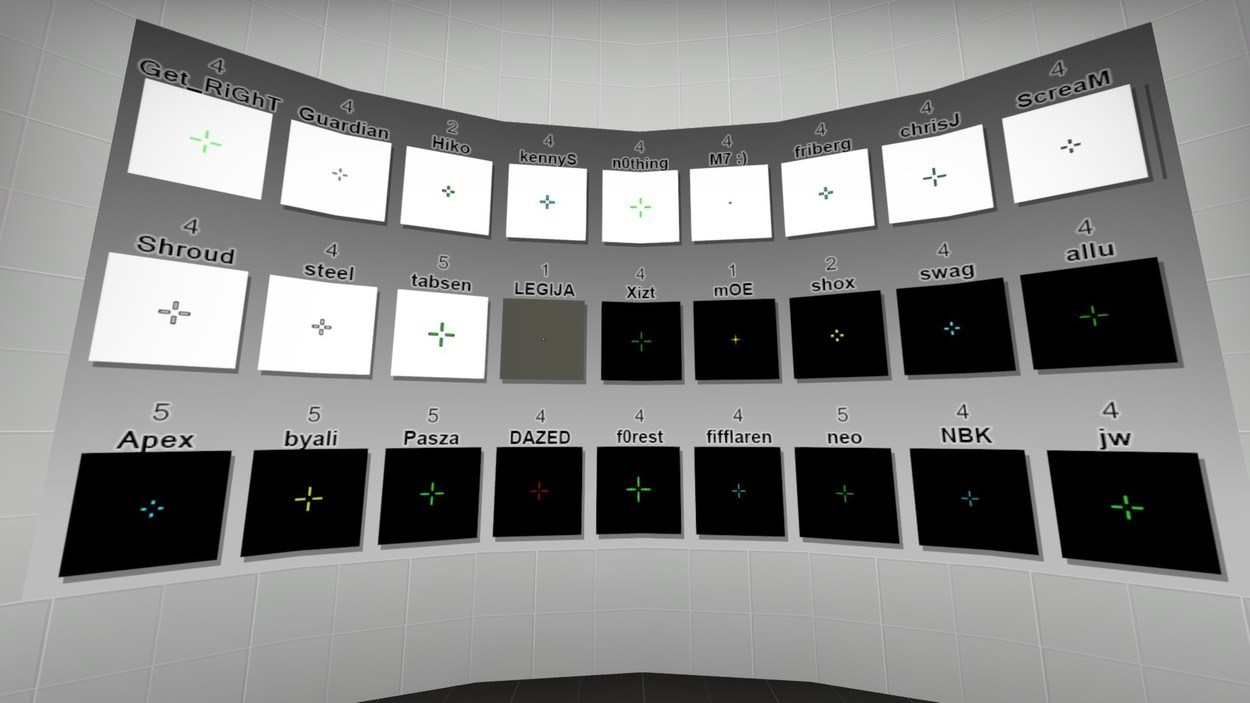 crashz's map also allows you to pick from pro players' crosshairs!
Many people mess with their options tab upon first entering CS:GO, and then go on to play without further customizing their experience, whether it is due to the fact that they don't know any better or that they're just not interested. However, the Source engine (on which CS:GO is built on), offers a lot of customization via console commands. It is extremely important to properly customize your CS:GO experience, as you need to feel comfortable while playing without anything on-screen bothering you. So, if you don't like your current crosshair or the font of the text, you can change them!
First, you can customize your crosshair via console commands even more than the options tab allows you to. You can either search for the crosshair of your favorite player online and see what their commands are, or you can use a fantastic workshop map called "crashz' Crosshair Generator v2", which will help you design your own crosshair and apply it in-game. crashz also has a viewmodel generator, which changes how much of or at what angle you see your guns in-game.
Second, if you don't enjoy looking at the default font text in-game, you can change it to something more to your liking. In order to change your font, you need to go to this popular CS:GO font website, choose a font and follow the instructions on that website.
Binds
Binding commands to a certain key is another nifty thing you can do on CS:GO that not many people know about. For example, you can bind your 5 key on the number pad to buy a Five-Seven upon pressing. For these simple, buying binds, you should use this website.
If you want some binds which could give you the edge while in a firefight, or just overall useful ones, here are a few:
bind r "reload; r_cleardecals" - clears blood and bullet holes from the map when reloading for a better visual experience;
bind "t" "use weapon_c4; drop" - drops the bomb;
developer "1"
con_filter_text "Damage"
con_filter_text_out "Player:"
con_filter_enable "2" - shows you damage given and damage taken in the upper left corner of your screen.
bind "q" invnextnongrenade - cycles between your weapons while excluding grenades.
Are you into fantasy leagues? Then check out AlphaDraft and put together your allstar lineup!