





Blogs
The Art of Staying Alive
Dealing damage to the other team is, no doubt, one of the most important things in CS:GO, or in any other shooter game. However, you cannot deal any damage while you are dead. Many people, especially at the Gold Nova ranks, will often engage in firefights they have no way to win, often ending with their deaths. This guide is mostly aimed at those people.
The mentality
It might sound too pompous, but in order to actually do something in this game, you need to know yourself well. Know your skills: "I have an AK-47. Can I kill enemies from the distance, or should I take a choke point so I can spray the enemies?" You should know how good your aim is in general, and you should work towards improving it on all the aim maps out on the Steam Workshop.
Picking your fights
There are times when inflicting damage isn't the wisest thing you can do. If you notice an enemy not paying attention to you or your teammates, instead of swiftly ending their lives, you could scout the area and notice what they are doing/where they are going. This information is very valuable for your team and could just about save the round. You can notice many professional CS:GO players doing this: they see players running past them, so they close in and kill the whole team from behind.
There are also times where you are better off giving up on a fight. If you're having a gunfight from a distance and another enemy appears, you should reposition yourself. Chances are you won't get that lucky headshot on both of them. That's when you should try and get closer to both of them, while checking your corners and trying to throw them off about where you'll come from.
Do not rush!
Many players, especially at Gold Nova ranks, will rush the enemy team, whether they are T-sided or CT-sided. While this might be a viable strategy for the terrorists sometimes, it's still dangerous and reckless to go charging into a place you have no information about. As for rushing on the CT side, while it can still have its uses at certain times, it usually means a 4v1 turning into a 1v1 because three CTs rushed a terrorist with an AWP.
This isn't Call of Duty: play the game safely and be aware of your surroundings. Chances are that most site rushes past the third round will end in a bad way for the rushing team as long as there's a capable AWPer on the other team.
Tactical grenades
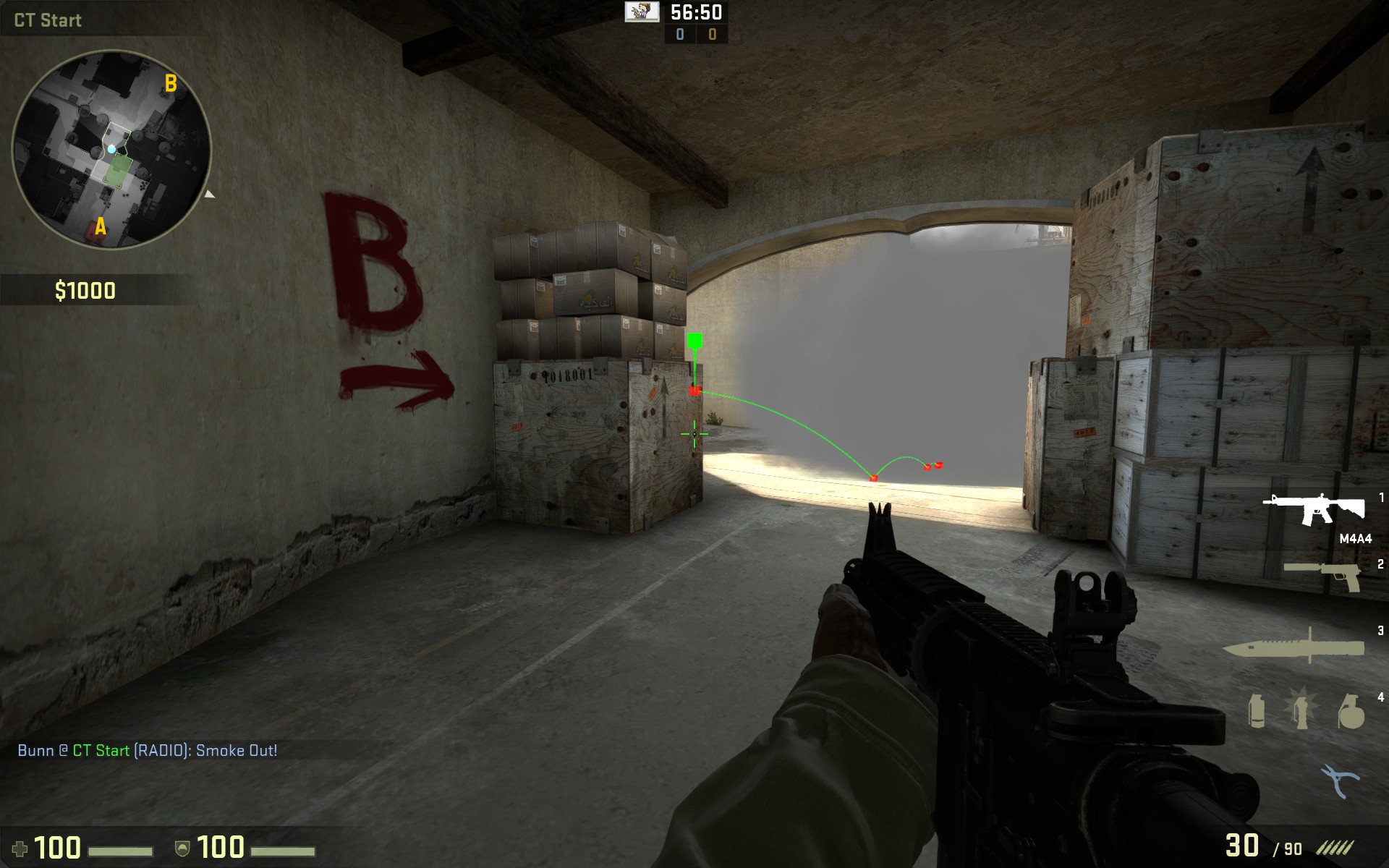
From my time climbing through the Gold Nova and Master Guardian ranks, I've noticed that most players do not buy tactical grenades, or any type of grenade for that matter, even if they're quite wealthy. This is a really bad practice, as a well-placed smoke grenade or flashbang can save your life and win the round.
Smoke grenades are important for blocking the enemy's vision, but they can also be used as a temporary hiding spot as long as you know what you're doing. Flash grenades can be used to get the surprise drop on enemies and to stop certain enemies from rushing you.
If you've ever watched a professional CS:GO competitive match, you probably noticed that the rounds are mostly played with grenades, not with guns. This is why you should practice flashes and smokes when you have some free time. There are plenty of useful articles across the Internet, and even on this site!
How to play the objective
Now that we've talked about rushing and grenades, we should put that knowledge to use in playing the objective. Once planted, the bomb completely shifts the focus of the game and switches the roles of the CT and T players. With this, it is advised that the terrorists do not rush the remaining CT players, and that the CT players use smokes and flashes to flush out the camping terrorists.
Once the bomb begins its final ten second countdown, players should start running as long as nobody is defusing it. To find out more about bomb blast survival, you can check out the following article: Bomb Survival: A Guide to Surviving The Blast Radius
Conclusion
It's important to not bite more than you can chew: choose your duels wisely, play slowly, and remember to use grenades to add a tactical side to your plays. With that being said, I hope this guide will help you out in your future matches. To help you some more, below this you will find the instructions for a "clutch button".
Clutch...button?
Yes, a clutch button exists. Well, you have to bind it first, but thanks to Reddit user Skazzy3, you can do it easily!
What does it do? It toggles voice communication off so you can focus on the game, it toggles all music off apart from the 10 second bomb music, toggles the Game Instructor on (it shows you where the bomb is with an arrow), doubles the in-game audio volume, plays an audible beep and tells your team when it's activated, and clears the decals (blood and bullet holes).
How to add the clutch button? Here are the original instructions, written by none other but the creator of this bind, Skazzy3:
- Open up "C:\Program Files (x86)\Steam\steamapps\common\Counter-Strike Global Offensive\csgo\cfg"
- Create a blank text file.
- Open the text file and paste the script into it.
- Rename the text file to autoexec.cfg (show file extensions in Windows first!)
- Open steam.
- Go to Counter-Strike: Global Offensive > Properties > Set launch options.
- Add +exec autoexec.cfg to it.
- Launch the game.
Here is what you have to paste into the file:
//Skazzy3's epic clutch bind
//Based on voice_chat script by bananagaming (love you maxim)
alias "clutch" "clutchon"
alias "clutchon" "voice_enable 0; clutchsoundon; gameinstructor_enable 1; cl_clearhinthistory; r_cleardecals; playvol buttons\blip2 0.5; alias clutch clutchoff; volume 1; say_team Voice Disabled, I can't hear anyone now."
alias "clutchoff" "voice_enable 1; clutchsoundoff; gameinstructor_enable 0; playvol buttons\blip1 0.5; alias clutch clutchon; volume 0.5; say_team Voice Enabled, I can hear you now." clutchoff
bind "e" clutch
//Clutch audio options.
//Feel free to edit these how you like, these are only my values because I have a music kit.
alias "clutchsoundon" "volume 1; snd_deathcamera_volume 0; snd_mapobjective_volume 0; snd_musicvolume 0.3; snd_roundend_volume 0; snd_roundstart_volume 0; snd_tensecondwarning_volume 1"
alias "clutchsoundoff" "volume 0.5; snd_deathcamera_volume 1; snd_mapobjective_volume 1; snd_musicvolume 0.7; snd_roundend_volume 1; snd_roundstart_volume 1; snd_tensecondwarning_volume 1"
How to use it? It's quite simple! All you have to do is press the "clutch button" when you want to use it (in this case, press "e"), and then press it once again when you want to stop being in "clutch mode".
Are you into fantasy leagues? Then check out AlphaDraft and put together your allstar lineup!